I redid my goblin!
Alright, so this is going to be a bit of a different post. Over the last couple weeks, I decided I really wanted to fuck around with Genus's Morphtoon. Like, I have almost 0 experience with the entire Genus Morph system and while I've played with the free head I got during Christmas last year, I'm already really attached to my Lelutka head I use on my normal day-to-day avi.
At the same time, I had an unused alt, which previously belonged to a project I helped run a while ago. It already had reborn, some random skins, random freebie/cheapie heads, and a rather expensive AO. I didn't want this alt to go to waste, and I figured I could repurpose it. Enter: Dysnomia.
Dysnomia Diva
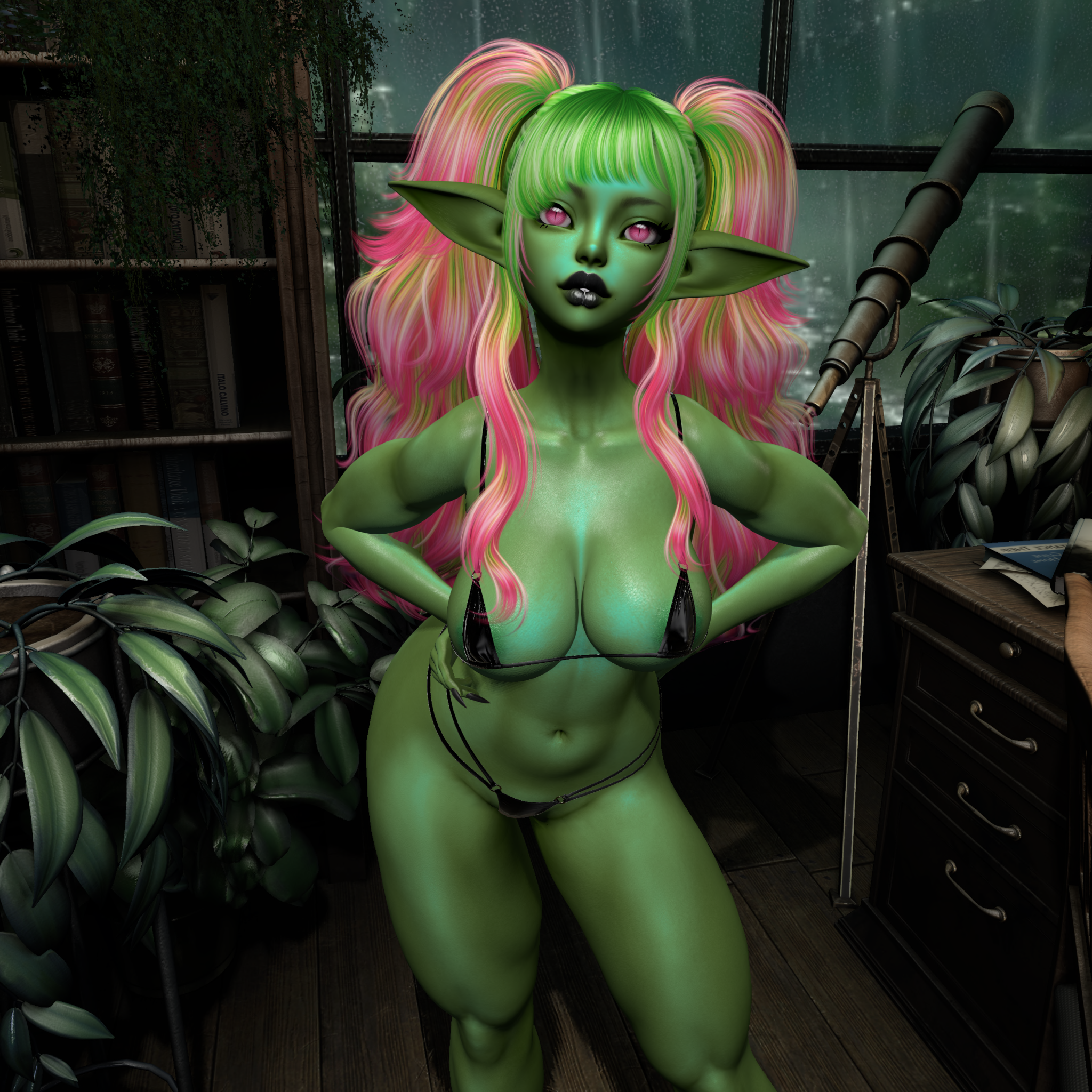
Dysnomia here originated from that alt account. I got her a name change to match her status as my alt (Dysnomia being the moon of Eris, as well as one of the Goddess's offspring). Making this avi was a TRIP.
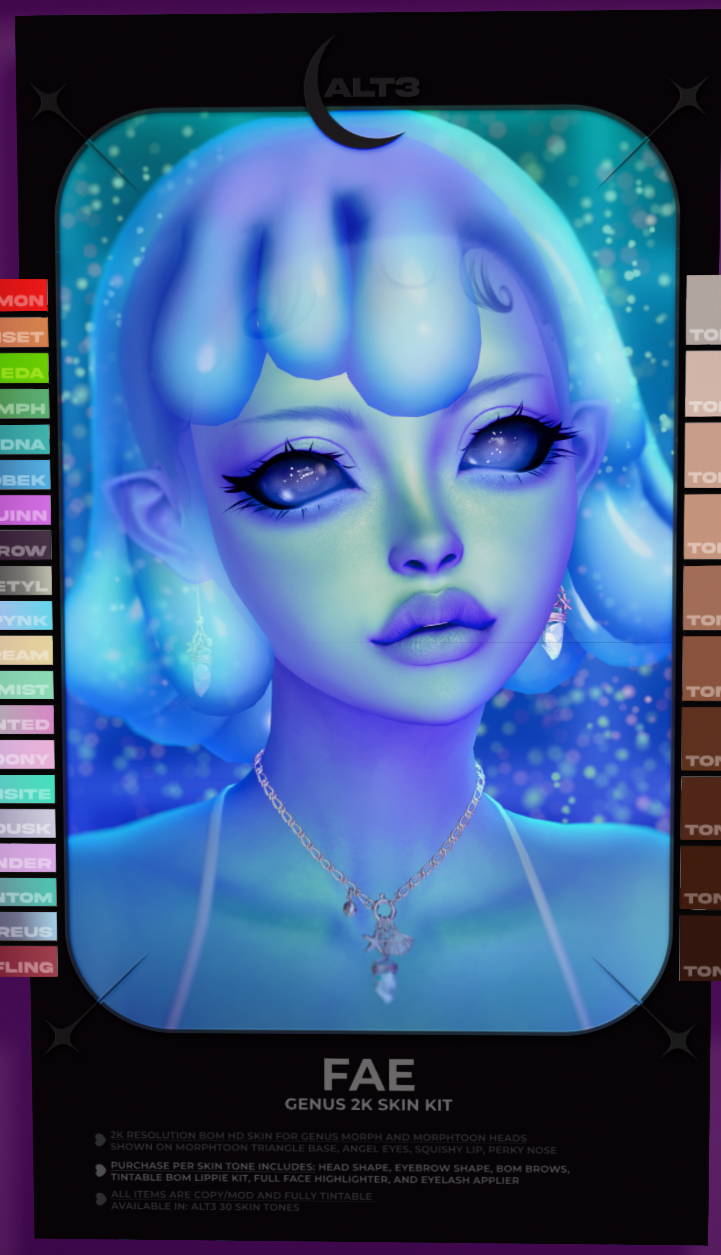
First thing's first, Alt3 had recently released the Fae skin, which was designed for Morphtoon and came with a shape. So this was my basis. I also just generally really love Alt3's Waifu skins, because they're so versatile and pretty and a fatpack is pretty affordable at 2800 L$, considering all the tones and addons you get in the package.
Then, I fucked around with demo parts. So many demo parts. I tried with different ears, found out the extra long elf ears TOTALLY work with morphtoon even though Genus has them over by the normal morph parts (wtf lol). I messed around with the shape, bought the morph pieces, linked em together, and eventually ended up with the finished Dysnomia above.
One REALLY HUGE BENEFIT of Genus Morph and Morphtoon is it's entirely mod. While yes, you can wear all the pieces separately and use 7 attachment points if you really want to, you can also link them together into one big head, which works the same as other heads (though, other heads don't link the eyes/teeth so, at least three slots are used up by Lelutka heads).
If you're unfamiliar with linking stuff together, it's pretty easy. There's a nifty little linking item called "GENUS - LINK HELPER (REZZ)" which can help you make sure you have all your stuff.
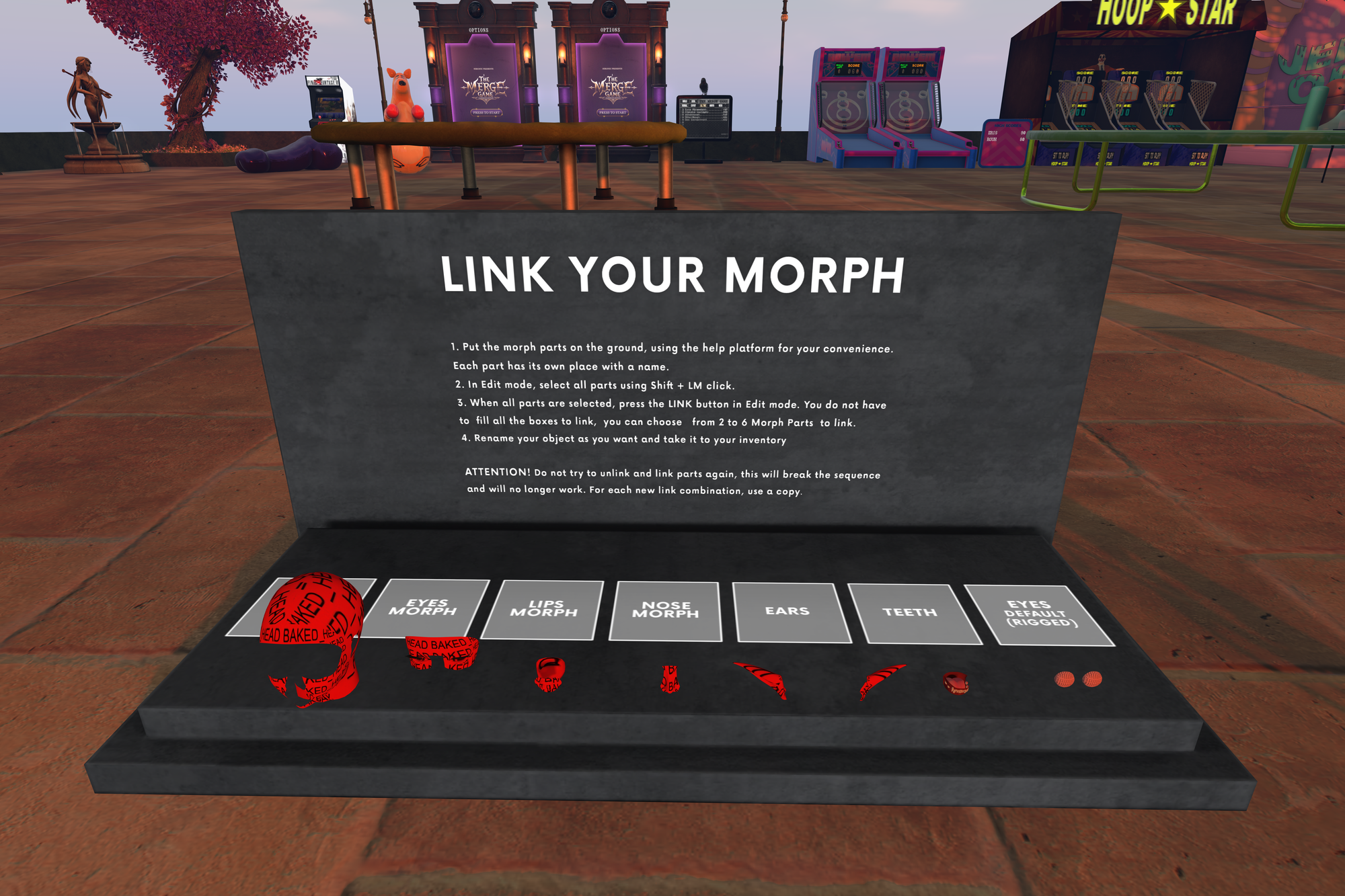
Basically, rez everything on the ground in front of you or in the lil boxes. Then, enter edit mode and select any of the parts. Hold shift, and select the rest. Select the base head last. Then, click the lil "Link" button in the edit window.
All the parts'll be linked, with the head shape as the root prim. You can rename the whole linkset something you'll remember before taking it into your inventory.
And now I was in a conundrum. This random-ass throwaway alt, whose only job is to receive tips/donations for an upcoming sim I'm working on, or hold my boat in place while on the Blake, looks nicer than my normal Goblin.
My Goblin Form
I always say I'm always a goblin on the inside. Well, I haven't actually been spending a ton of time in my goblin form lately, preferring my high fae form (my normal form).
A quick recap of the gobbo's looks:
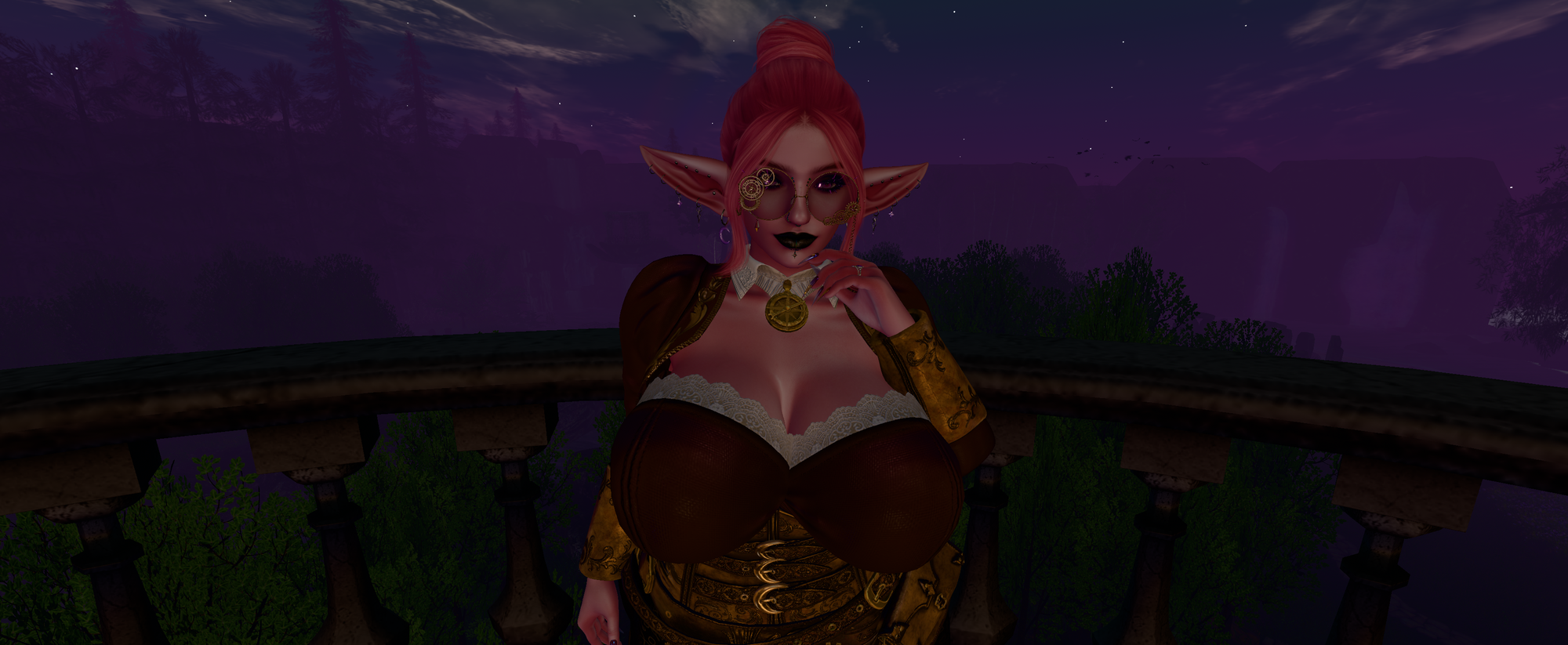
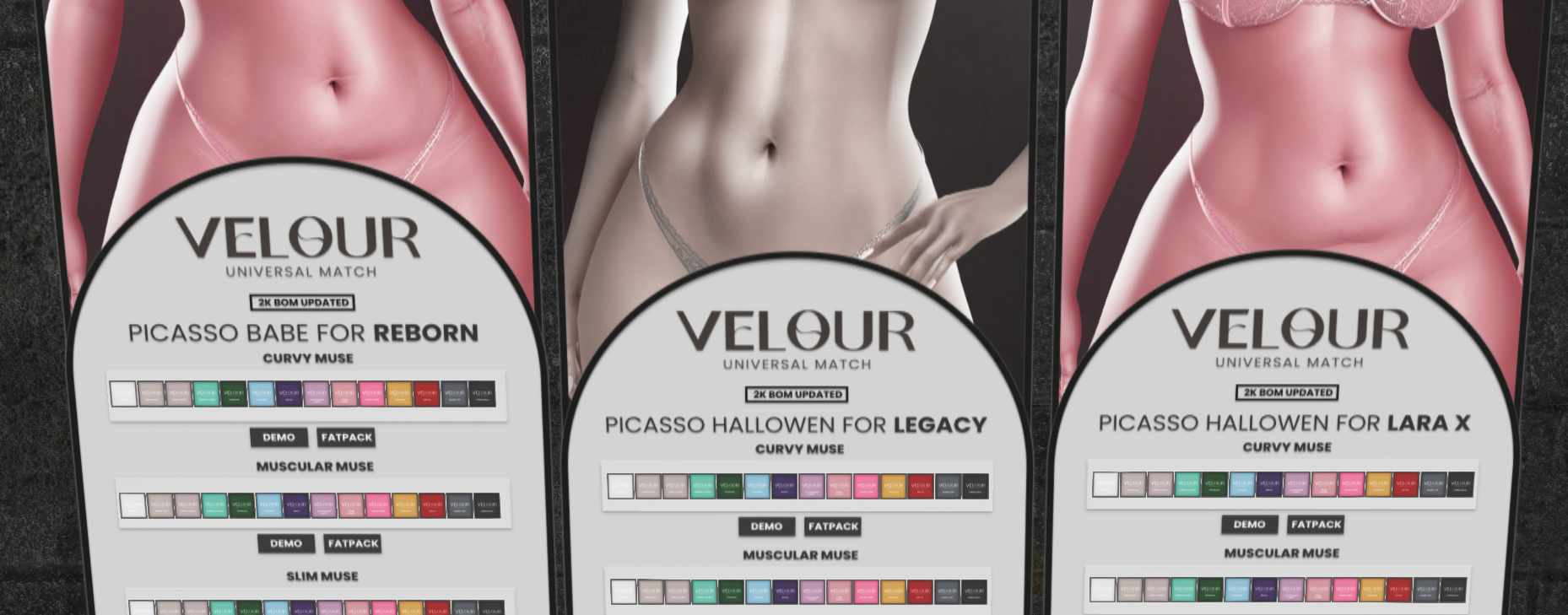
First, here's my goblin at her inception. I knew from the beginning I wanted a cute pink shortstack goblin. You don't really see pink goblins often, and pink and green are two of my fav colors. My main has green hair, so the goblin gets to be pink. Her original form actually used Velour Halloween (Hallowen? idk) skins, which was fine til my friend Hecate showed me Alt3.
After a while of rocking Pink Fairy as my goblin's main skin tone, I wanted to upgrade to 2k. My existing face skin didn't get the upgrade, so I decided it was the time to move to Alt3's Pynk tone:
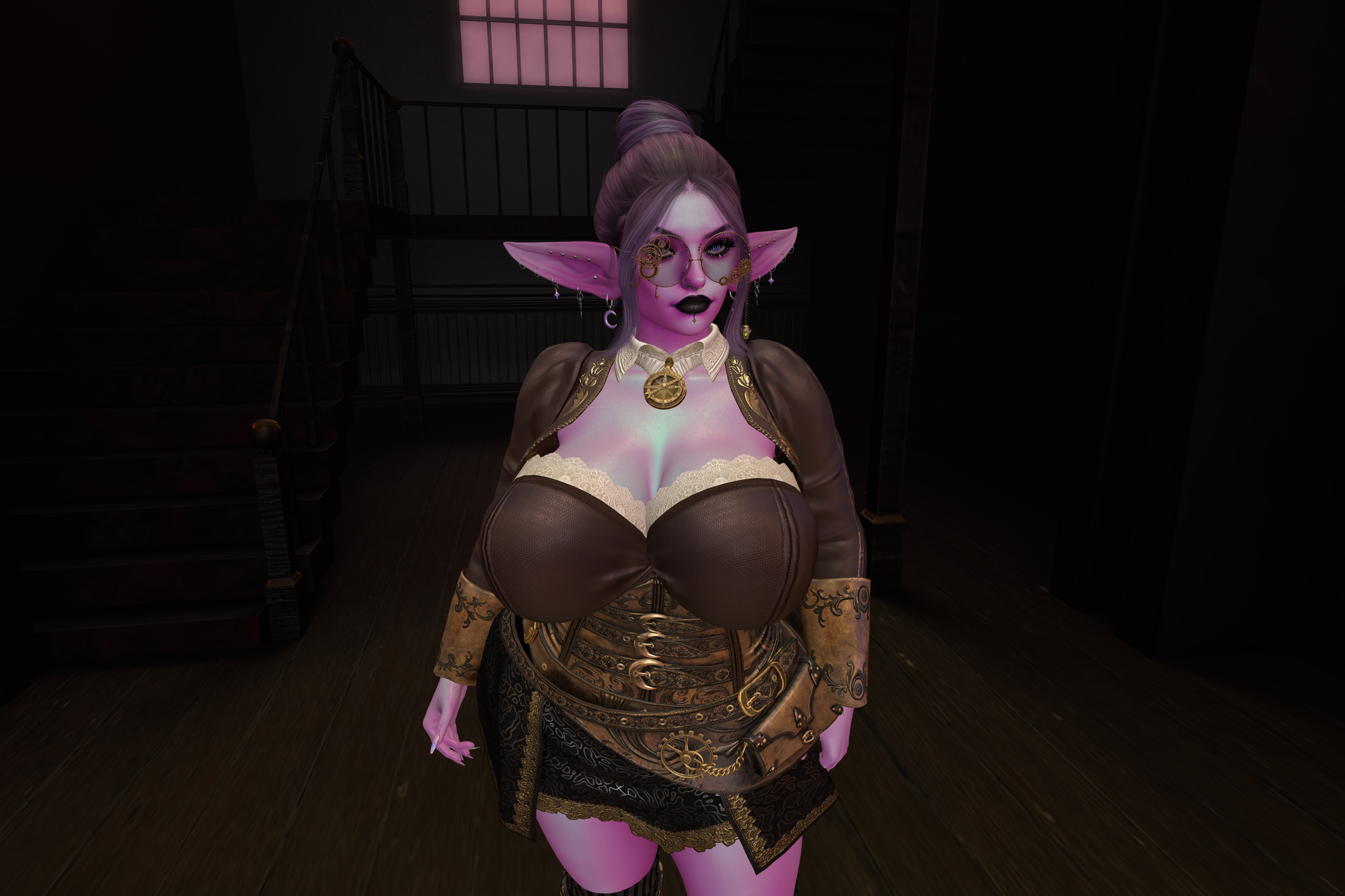
Honestly, not much to say about this version. She's cute. I like this goblin. But, it's still basically my normal head with a slightly bigger nose and thiccer body, and Kreep's goblin ears (which are great, btw, and yes I whipped together that matching Pynk ear skin, kreep's stuff is very user-friendly to modify, and alt3 provides tone samples).
I've experimented with alternate heads for this goblin before, like a couple different bespoke and logo heads, Kreep's nymph head got into the mix at one point. I don't have screenshots of those experiments.
But yeah, then I redid Dysnomia, and knew my normal goblin needed a makeover. Here's what I came up with:
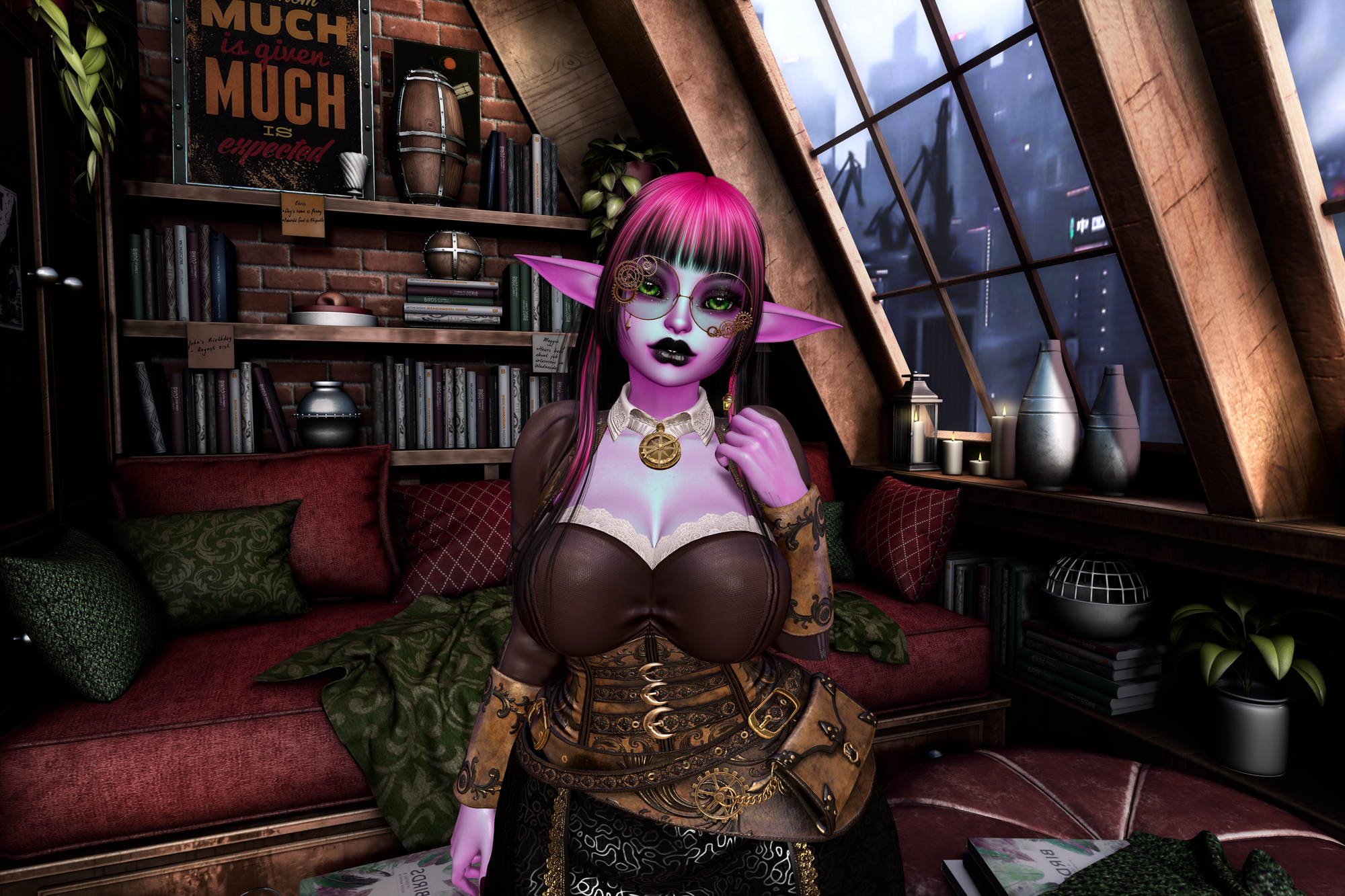
She's in the same outfit as my older goblins for the sake of consistency, but yeah.
Like Dysnomia, she uses Alt3's Fae skin and shape as a base. I then adjusted her shape to make her shorter and adjust her facial features quite a bit, kinda finessing her til I got to a point where her proportions made sense for her size and worked with animations and stuff. No shade on the OG shape, but I have different tastes and once I adjusted the height, everything else needed adjustment too.
Challenges and tips with Morph Toon
If you want to experiment with something similar, here's some tips:
- Don't fucking link your parts together til you're set on what you want.
- If you're like me, you'll experiment with different parts a ton, and there's no sense in linking them until you're sure with what you want. Yes, I linked like 3 different sets of teeth and eyes and ears before landing on my current configuration.
- Also, don't try to use the HUD if you're wearing a head and also have parts rezzed on the ground. Shit gets weird. Only have one head out at a time lol.
- The HUD is a bit confusing. You're probably going to want to use BOM eyes, and when you do, first make sure you "clear" your sclera, since those "sclera" options overlay your BOM eyeball.
- The sclera settings has two lines. the top is just reflections. If your BOM eye has reflections already, you're not gonna wanna put reflections OVER your reflections, so you can click the "clear" button and leave it be.
- If your eye doesn't have reflections, you might wanna mess with this, or don't, I don't care I'm not your mom.
- The actual sclera options below the reflections are weird. First two actually overlay a fake sclera on top of your BOM layer. It always looks weird. Second 3 are basically entire eye overlays.
- No, I don't know why these are here and not above with the applier eyes. It's a weird choice.
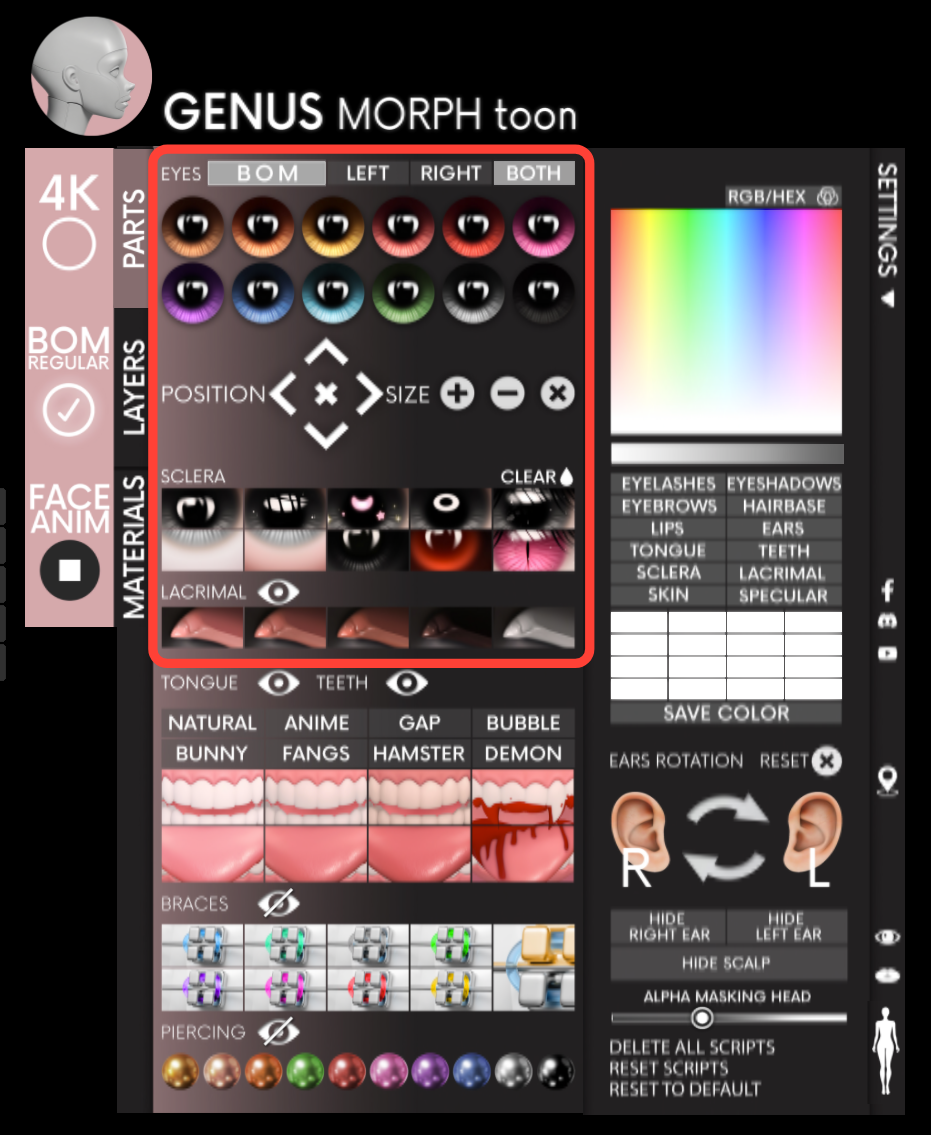
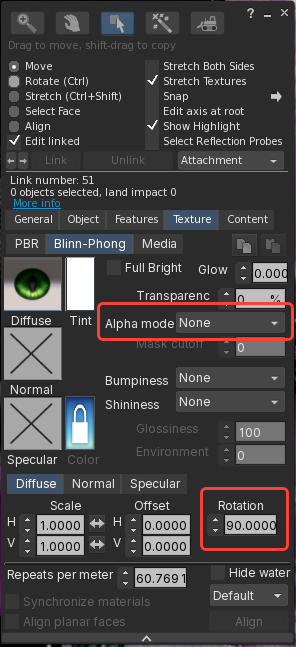
- You may also want to manually edit your eye and set its alpha mode to masking or none, since by default it's set to blending which can cause some weird glitching behind bangs and stuff.
- While you're doing this, if you wanna use furry eyes (which can be more stylized/cartoonish, which is nice for this head), those are typically rotated 90 degrees compared to human eyes. The HUD has no option for that, but you can do it manually by rotating your (BOM) diffuse texture 90 degrees:
- Changing any of the eye settings in your HUD will reset these customizations, so do these last.
- So many hairs just don't fit.
- Unrigged hairs are nice for being resizable. But for longer hairs, they'll probably need to be rigged.
- Rama Salon's XS size seems to work okay depending on my head shape.
- Genus's HUD has an option to hide some of your scalp in the settings popout. This is useful for some hairs and head shapes. A BOM scalp alpha works here too but yeah I don't have one for SLUV. I should probably just make one.
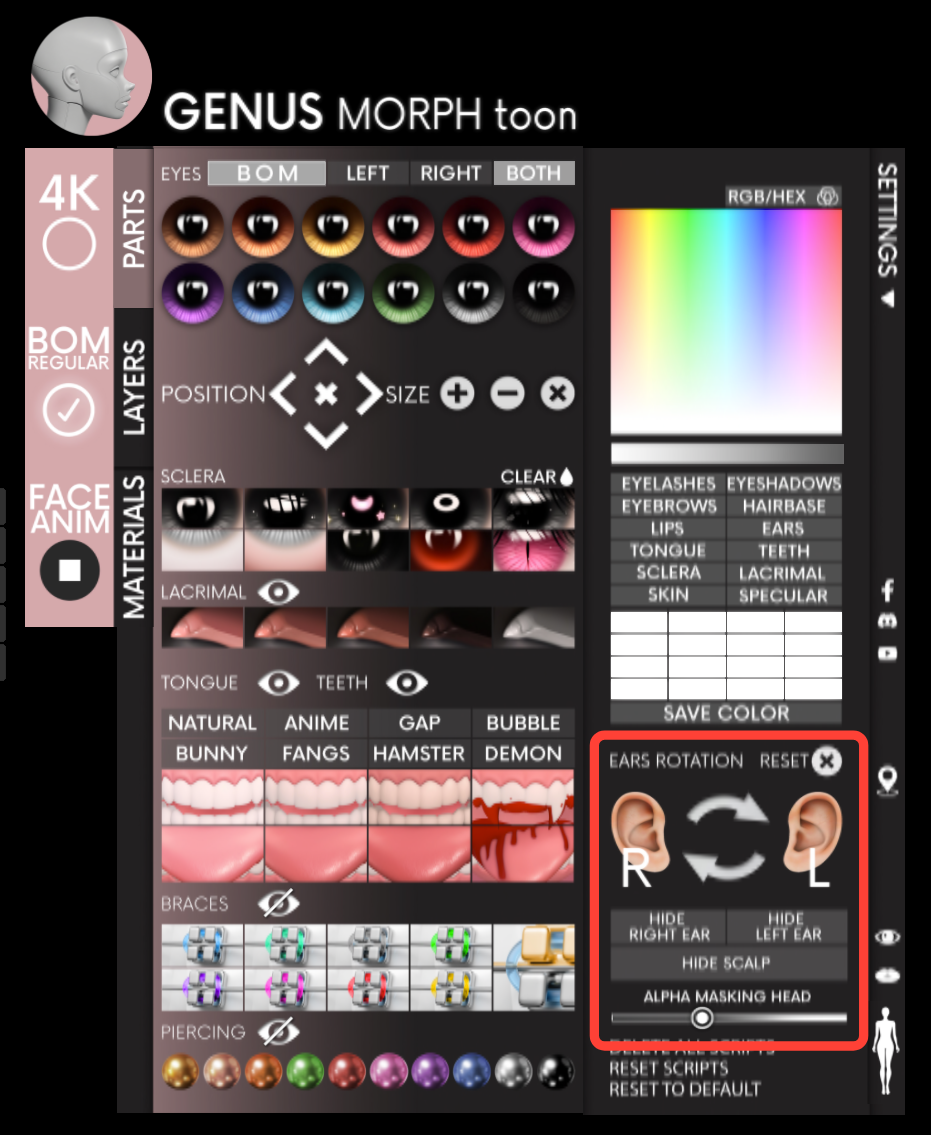
- For long ears, that settings pop-out has an ear angle setting too, which works for making sure your long-ass elf ears don't clip with your hair too badly.
- Sintiklia's small size is okayish, better with bangs
- Honestly, bangs fix most issues. Use bangs.
- Speaking of bangs, use BOM eyebrows and don't use appliers at all. You'll thank me later.
- PLEASE SEND ME HAIR RECOMMENDATIONS CUZ HOLY SHIT
- MorphToon comes with limited facial animations. It blinks if you turn them on. That's pretty much it.
- I've found that Vista's facial animation HUD works well though.
- Some OMY dances that close my eyes will sometimes cause my eyes to bust out of my eyelids, so YMMV. I am also using the Oni Eyes on my gobbo, and you might have better luck with other eye shapes or just, shapes in general.
- The INCREDIBLY CUTE Freya Foxtail of Freya's Stuff makes a HUD with some really cute facial expressions for pics and stuff. She also makes some teeth that work well as drop-in replacements for morphtoon's official teeth/gums/tongue combo.
- The SLUV makeup situation is bleak, but there are some options.
- Genus has a big "4k" button in the hud. Don't bother with it. Nobody releases new stuff for this UV, since 2k skins are a thing, and you can just use 2k SLUV instead.
- Void's Mirage Lashes are constantly getting updated for new eye morphs. Get a redelivery if it doesn't support whatever you're playing with, and it'll probably have an update. They are on top of their shit over at Void. Love em.
- Bottom lashes are a bit iffy on the Oni Eyemorph. It's due to my shape, for sure. I can get them to work, but easier to just hide them and use the built-in lashes for the bottom.
And that pretty much covers it.
Hoooo boy this was a long post. Hopefully it makes sense. Went on quite the journey here. As always, let me know what you think. I'm reachable in-world, by comment here, or by email.
